客製化模型訓練(使用Colab)
-
Roboflow 提供的資料集:
Pen :
https://universe.roboflow.com/helmet-kbzqd/pen-w4ckf/browse?queryText=&pageSize=50&startingIndex=0&browseQuery=truePhone :
https://universe.roboflow.com/test1-ciji9/yolov5_phone_model/dataset/2#Hands :
https://universe.roboflow.com/swarm/arm-detect1/dataset/1
https://universe.roboflow.com/college-6/college-6/dataset/1影片來源:國立臺灣師範大學 AIOT實驗室
-
程式筆記本環境設定
下載 Yolo7 到 Colab 程式筆記本
# Download YOLOv7 repository and install requirements
!git clone https://github.com/Qweqwem3m3m3/yolov7-tiny_AMB.git
%cd yolov7-tiny_AMB
!pip install -r requirements.txt
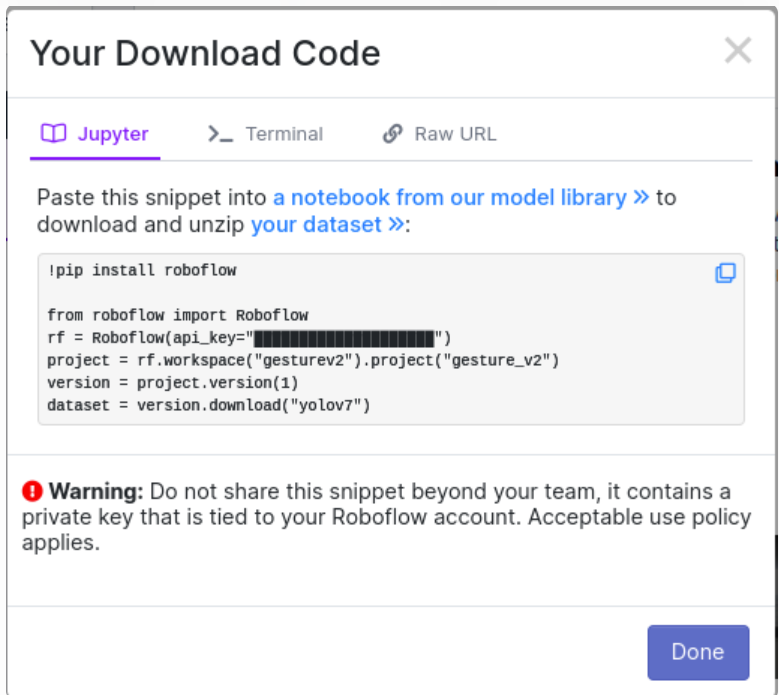
將 Roboflow 的程式碼貼到 Colab 程式筆記本新欄位。
從 yolov7 官網下載預訓練的模型
%cd /content/yolov7-tiny_AMB !wget https://github.com/WongKinYiu/yolov7/releases/download/v0.1/yolov7-tiny.pt -
模型訓練與結果評估
開始訓練
(1) 開啟 cfg 設定檔。
/content/yolov7/cfg/training/yolov7-tiny.yaml
(2) 修改類別種類的數字
修改第二行 「nc:"80" 」為你要辨識的圖片類別種類數字。
(3) 指定訓練資料位置
# run this cell to begin training
# move the  dataset into yolov7 folder
%cd /content/yolov7-tiny_AMB
!python train.py --batch 16 --epochs 55 --cfg cfg/training/yolov7-tiny.yaml --data ./"YOUR_DATASET_NAME"/data.yaml --weights 'yolov7-tiny.pt' --hyp 'hyp.scratch.tiny.yaml' --device 0
評估訓練結果
(1) 上傳圖片到特定路徑
/content/yolov7/inference/images(2) 找到某個「pt」檔案路徑,並複製此路徑。
content/yolov7/runs/train/exp1,2,3(choose the last one)/weights/best.pt(3) 執行以下程式。
!python detect.py --weights "./THE PATH YOU FIND/best.pt" --conf 0.1 --source ./inference/images -
模型打包與轉換格式
1. 開啟檔案
reparameterize.py2. 修改路徑
weights = 'THE PATH YOU FIND/best.pt'3. 修改「圖片類別」的種類數字
class_num = 804. 設定 「cfg 」檔
開啟 /content/yolov7-tiny_AMB/cfg/deploy/yolov7-tiny.yaml
修改類別數字 nc:"80"
5. 執行程式
!python reparameterize.py完成後,將產生的「 nb 」模型檔案上傳到瑞昱的官方網站進行格式轉換
https://www.amebaiot.com/zh/amebapro2-ai-convert-model/
6. 師大架設的模型網站
-
程式筆記本環境設定
-